The short version: before you spend more on Black Friday, make sure your offer leaves room for profit, your catalog tells people what they’re buying, and your reporting separates existing demand from new customers. Shopping and AI search make that product information worth paying attention to. You can do a lot with the products you already sell.
I’ve spent a ridiculous amount of time in product feeds lately. We built a tool with AI that now sits between our AppSumo catalog and Google, Meta Ads, and our affiliate platform. It lets us work on product data and images without changing the original source every time.
That work has me looking at BFCM a little differently. There’s plenty to improve before adding another product or another campaign. Which products actually make money after the discount? Can someone understand the difference between two versions? Does the price in the ad match what they see at checkout?
Google’s feed optimization guide and end-of-year playbook both put product data near the center of the shopping experience. The first connects richer catalogs with more detailed AI searches; the second treats peak season as a longer shopping period rather than one weekend. They’re useful reading, especially for the Shopping piece. The seasonal research is largely European, so I wouldn’t treat every benchmark as a forecast for your store.
Here’s how I’d put the whole plan together, including the work I’d hand to an AI agent.
1. Pick an offer you can afford to sell
Before the creative brief, I want the offer math. A best seller at full price can become a pretty mediocre acquisition product once you discount it, pay for shipping, and throw in a gift.
Take a made-up $100 order with $50 in product costs, fulfillment, and fees. You have $50 left before ads and overhead. Discount it to $75 while holding those costs fixed, and you have $25 left. If you want to retain $10 toward overhead and profit, your allowable acquisition cost is now $15.
That example simplifies fees and returns, but it shows why I don’t want to carry a normal-week CPA target into a sale without checking it. A bigger order count can still leave you with less money.
I’d compare a straight discount with a bundle and a gift-with-purchase offer. Use the actual cost of the gift and the extra fulfillment involved. Look at inventory by size or variant, too. Having 400 units doesn’t help much if the size everyone buys is gone.
Email and SMS deserve a different offer conversation from cold acquisition. An existing customer might want an accessory or replenishment. Someone seeing you for the first time may need one clear product and a reason to trust it. I’d decide those paths before sending everyone to the same giant sale collection.
The decision: which products and offers deserve acquisition spend, and what can you afford to pay for that order?
Give AI this job: hand it product costs, inventory, fees, shipping assumptions, and the proposed offers. Ask for contribution before advertising and allowable CPA by offer. Have it mark missing costs instead of guessing, and show its math. Check the best candidates yourself before using the targets.
2. Make your existing catalog easier to buy from
This is where I’d spend the most time. A product feed is the information you send a platform about what you sell. If that information is incomplete, your beautiful website doesn’t automatically fix it.
Our tool works like a feed middleman. We keep the original catalog, create a working copy, and prepare the versions each destination needs. That gives us somewhere to review changes and check what actually arrived.
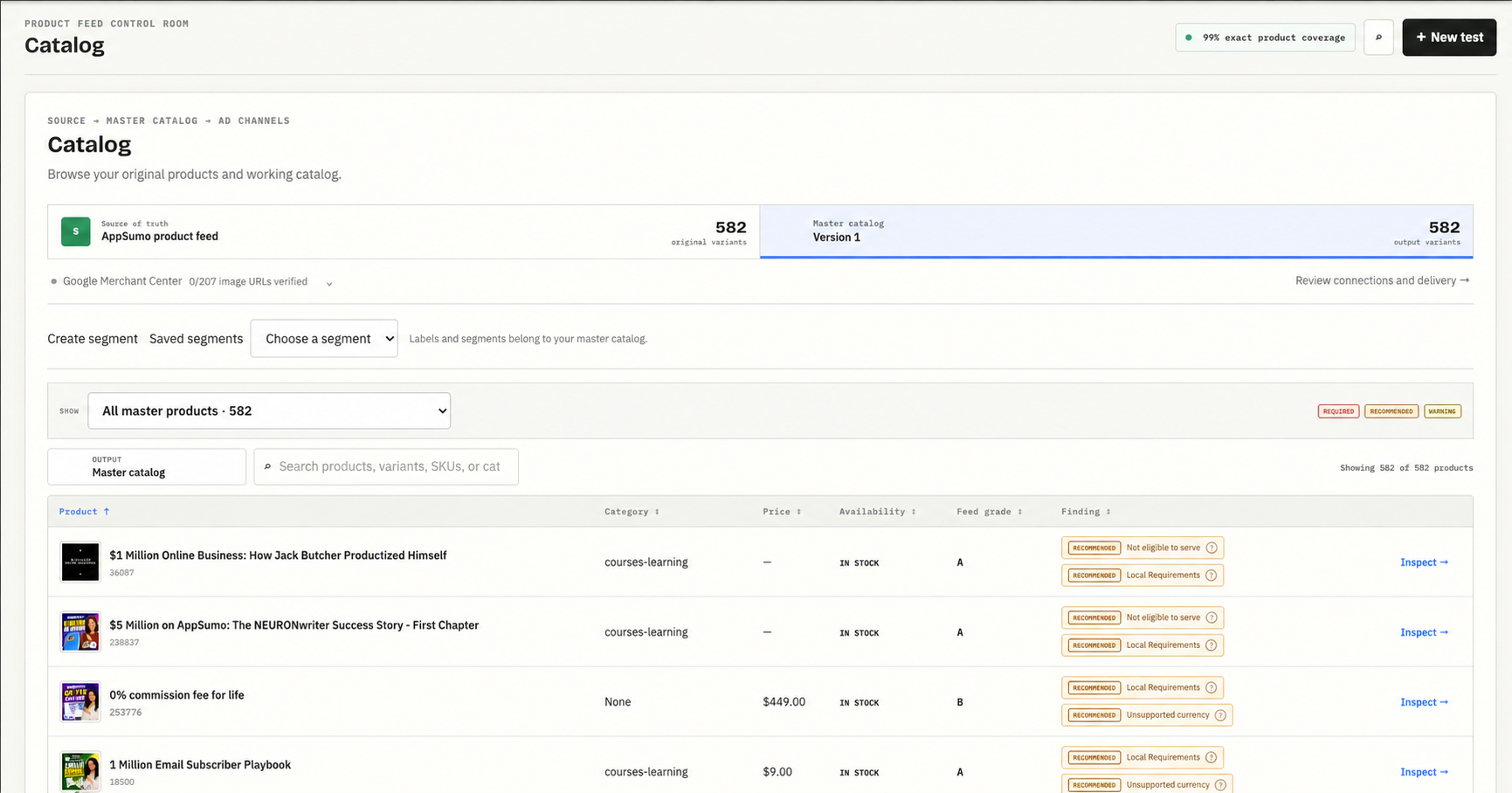
Our working catalog. A successful import is one check; product eligibility and accurate data need their own review.
Start with products that should already be selling
I’d pull the products planned for the sale and compare the store with Merchant Center. Are they present? Eligible for the intended destination? In stock? Does the link open the correct variant? Which important products have issues?
Prioritize by the offer and inventory plan from section one. Fixing a blocked best seller matters more this week than polishing the description of something you barely stock. Then expand the review to the rest of the catalog.
Google’s product data specification explains how missing or conflicting attributes can limit eligibility. Check identifiers, size and color, variant grouping, availability, and price against the real product. Don’t let an agent invent a GTIN or a material to fill an empty cell.
Write down the details a buyer actually needs
Here’s a hypothetical title change: “The Weekender” becomes “Brand Weekender — 40L Carry-On Travel Duffel — Olive.” That gives someone a product type, capacity, and color. Every detail needs to be true, and airline carry-on suitability needs checking before you promise it.
For the description, I’d use the questions that keep coming up in support and reviews. Does the bag have a separate shoe compartment? Is the strap removable? What are the dimensions? Those answers help someone choose between products we already sell.
Now imagine a shopper asking an AI system for a weekend bag with a separate shoe compartment under $150. “Premium quality for your next adventure” gives it very little to work with. Accurate specifications give it something concrete to compare. That’s the opportunity I’m interested in, without pretending a better paragraph guarantees a recommendation.
Give AI search factual product context
Google documents six optional conversational attributes:
- Questions and answers: useful buying questions with verified answers.
- Document links: supporting PDFs, such as manuals.
- Related products: accessories, alternatives, or required parts.
- Item group titles: a shared name for a product family.
- Variant options: the properties that distinguish versions.
- Popularity rank: relative popularity within your catalog, supported by data.
Google recommends a supplemental source for adding these to existing products. They complement the normal feed; you don’t need to repeat information already supplied in other supported fields.
For our software catalog, that means questions about integrations, plan limits, and setup. We built a review form and export for this work. I haven’t proven an AI-search lift from it, and I’m not going to call a generated file a successful rollout. The next checks are whether the information is correct and whether the destination accepts what we submit.
For BFCM, I’d start with a handful of priority products. Have the agent draft answers from manuals, product pages, and approved documentation, with a source beside each answer. Anything unsupported goes back to a person who knows the product. “Unknown” is a much better output than a confident wrong answer about compatibility.
Review the images for the channel they’ll run on
Here’s a real example from our catalog work: the original product creative and a different version we prepared.
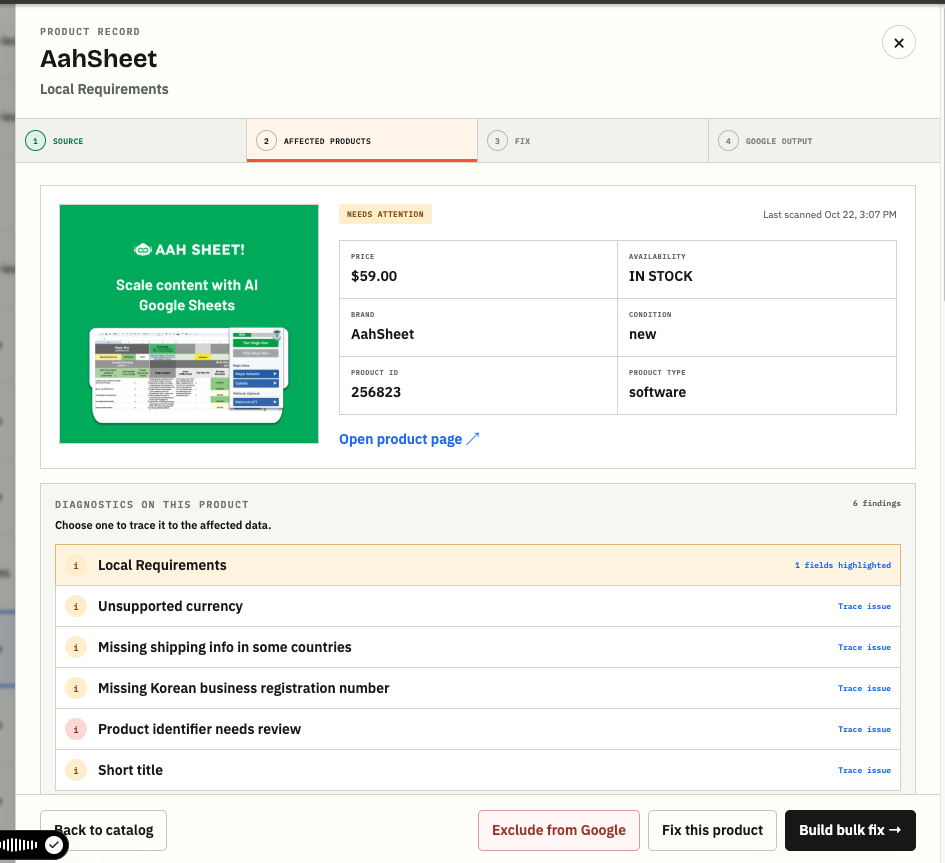
Original creative.
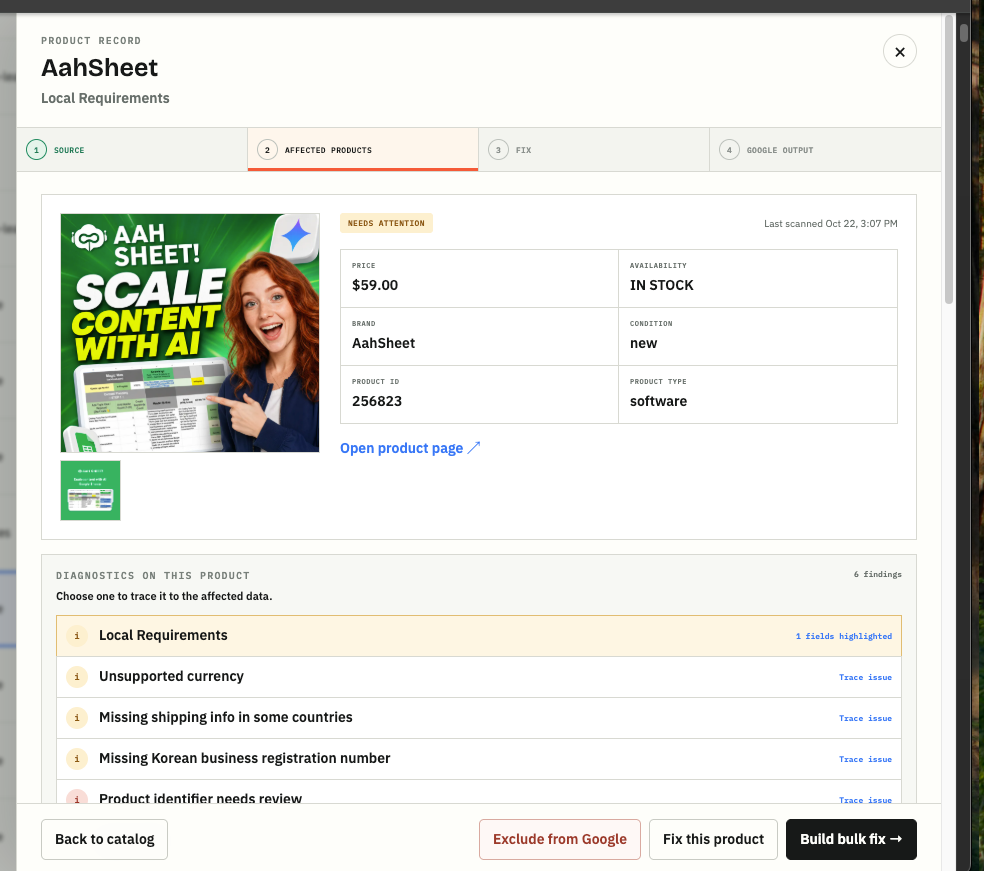
Alternative creative. This shows our editing workflow, not a measured performance improvement or verified Shopping approval.
The destination matters. Google’s main product image requirements prohibit promotional overlays and call for a clear view of the product. A graphic prepared for another placement should not automatically become the Shopping image. I’d keep compliant product photography separate from promotional creative, and inspect both at the size a shopper will actually see.
Follow the offer all the way through checkout
Check the sale price, offer dates, shipping cost, return terms, and stock status. Open the product on your phone, choose a variant, apply the promotion, and go through the purchase path. For a gift offer, verify how the gift gets added and what happens if it runs out.
Google requires submitted sale prices to match the landing page and checkout. Updating the store is only the first step. I want to see the refreshed information at the destination, too.
The decision: what must be fixed for the sale, and what is a separate enrichment experiment? An incorrect price goes ahead of an optional AI attribute.
Give AI this job: compare your priority product export with Merchant Center data and the live pages. Return a review sheet with product ID, mismatch, evidence, proposed correction, and priority. Keep it read-only until you approve the changes. Then check acceptance and the live result.
3. Give new customers a reason to care
Once the offer and product information are sound, I’d start with creative that has already sold the product. Look at the actual explanation in the video. What did the person demonstrate? What concern did they answer? What made the product worth buying?
That gives you something useful to adapt for Meta and YouTube. You still need to check the format, pacing, landing page, and offer. A sale badge on an unrelated video is a pretty weak brief.
For example, if the video demonstrates a particular bag, I want the click to land on that bag or the relevant offer. If product cards appear with it, check those products and their URLs separately. Sending people to the homepage leaves them to reconstruct the pitch themselves.
I’d keep the proven campaigns running while new creative earns its place. Decide what you can spend learning, what a useful result would look like, and when you’ll review it. Trying a new channel during peak week can be worthwhile, but I wouldn’t make hitting the entire sales target depend on that test working immediately.
The decision: which proven message gets the offer update, and which new ideas get a bounded test?
Give AI this job: provide transcripts and performance exports for existing videos. Ask it to identify the demonstrated benefit, buying objection, product, and offer in each. Have it suggest a few specific edits using footage you actually have. You choose the edits worth making.
4. Decide what earns more budget
I reviewed an account this week where Google reported almost a 6x return across two days after a sale. Branded Search and Shopping accounted for 84% of attributed revenue on 24% of the spend. The campaigns reaching new people looked a lot less exciting.
Two days was too early to start killing campaigns. It was also a shaky basis for raising the whole account’s budget.
Brand search can capture demand created elsewhere. A strong account average doesn’t tell you whether the next dollar spent reaching someone new will produce the same return. I want those conversations separated.
Before the sale, write down when you’ll increase, hold, or reduce spend. Tie that to the offer economics, first-time customer volume, inventory, and the age of the data. If yesterday’s results usually take several days to fill in, comparing them with a mature week is misleading. Google explains conversion lag here.
I’d also keep a change log. If you change the price, creative, audience, and budget together, you may get a result without learning much about what caused it. Sometimes the sale forces several changes at once. At least record them so the next person opening the report knows what happened.
The decision: where can more spend produce orders you can fulfill profitably, and where do you need more evidence?
Give AI this job: build a daily briefing separating brand, nonbrand, and prospecting where the data supports it. Compare mature periods, flag recent changes and stock constraints, and propose actions with supporting numbers. Recommendations go to review before anything changes in an ad account.
5. Measure what happened to the business
I want total store revenue, first-time customers, ad spend, discounts, and contribution next to the platform reports. I also want post-purchase answers to “Where did you FIRST hear about us?”
I’m a big believer in that question. Someone can discover you on YouTube, come back through Google, and purchase during the sale. Last-click reporting won’t explain that whole path. A survey gives the customer a way to tell you something the click trail missed.
Survey responses have their own gaps: people forget, some don’t answer, and respondents may differ from everyone else. Keep the response count and coverage visible. Don’t add survey-attributed revenue to platform revenue; you’d be counting the same orders again.
MER is useful here, too. I use it as total store revenue divided by total ad spend. If we’re spending more, are we getting more sales and customers, and is enough money left after the offer costs? For a short purchase cycle, I’d look at the sale window, the surrounding weeks, and the month together.
MER alone doesn’t prove the ads caused the growth. Returning customers, email, seasonality, and discounts can all move it. GA4, platform reporting, surveys, and store results help explain different pieces. I’d rather understand those differences than force every dashboard to agree.
Set an end-of-sale review now. Remove expired messaging, restore the intended prices and budgets, and check what happened after the deadline. Include cancellations and returns as they arrive. A big weekend is exciting; I want to know what we actually kept.
The decision: did we acquire worthwhile customers at an acceptable cost, and what deserves to keep running?
Give AI this job: reconcile the store, spend, platform, and survey reports without combining their attribution totals. Flag missing days, changing definitions, and incomplete conversion windows. Summarize what improved, what remains uncertain, and what to check after the sale.
What I’d do first this week
Pick one product you expect to sell a lot of. Work out the discounted economics, inspect its feed record, read its page on your phone, and follow the offer through checkout. Then look at the ad and ask whether it explains why someone should buy that specific product.
Give the issues to your agent with the source files and a clear boundary: investigate and propose fixes, don’t change the accounts. Review the fixes, verify what went live, and repeat with the next priority product.
You can get a lot more useful work done that way than asking AI for a hundred Black Friday campaign ideas. Start with the products you already have and make it easier for the right person to buy them.