The short version: I built a tool with AI to help manage product feeds and catalog images. We’re using it at AppSumo, and today we canceled Channable, a subscription I remember being about $150 a month. I’m opening early access for other marketers who want to try it.
I finally clicked cancel on Channable today. That felt pretty good.
I’ve been building it in Codex, going back and forth on the product, testing it with actual catalog data, and figuring out everything that has to happen before you can trust your own software with a job you used to pay someone else to handle.
Google, our affiliate platform, and Meta Ads all use this tool now. Meta’s automatic import processed 582 products with zero upload failures. That’s the kind of check I want before trusting the setup.
Channable still has 38 days left before the subscription ends. But the cancellation is in, and the replacement is doing real work.
What I actually built
If you haven’t dealt with product feeds, they’re the files that tell advertising and affiliate platforms what you sell. Product names, prices, images, links, availability. All the stuff that needs to be right when someone sees an ad or clicks through to buy.
It sounds simple until you’re the person responsible for it.
An image needs changing. A destination expects the data in a different format. A product has no price because it’s free. You publish something and then have to figure out whether the other platform actually picked it up.
It’s basically a feed middleman. I bring in the original product feed and create a working version of the catalog. From there, I can prepare separate feeds for Google, Meta, and affiliates, with the images, fields, and formatting each one needs. The original source stays intact. I’m working on the copies we send out, rather than asking someone to change the store every time I want to test an image.
We can also serve feeds in different currencies easily. That’s especially useful for affiliates, who need to see product prices in their own currency.
The tool gives me a place to work through that. Manage the catalog, prepare the feeds, create product images, review changes, and check delivery. The image work is especially useful for a software catalog, where the raw product image doesn’t always do a great job of showing what the tool does.
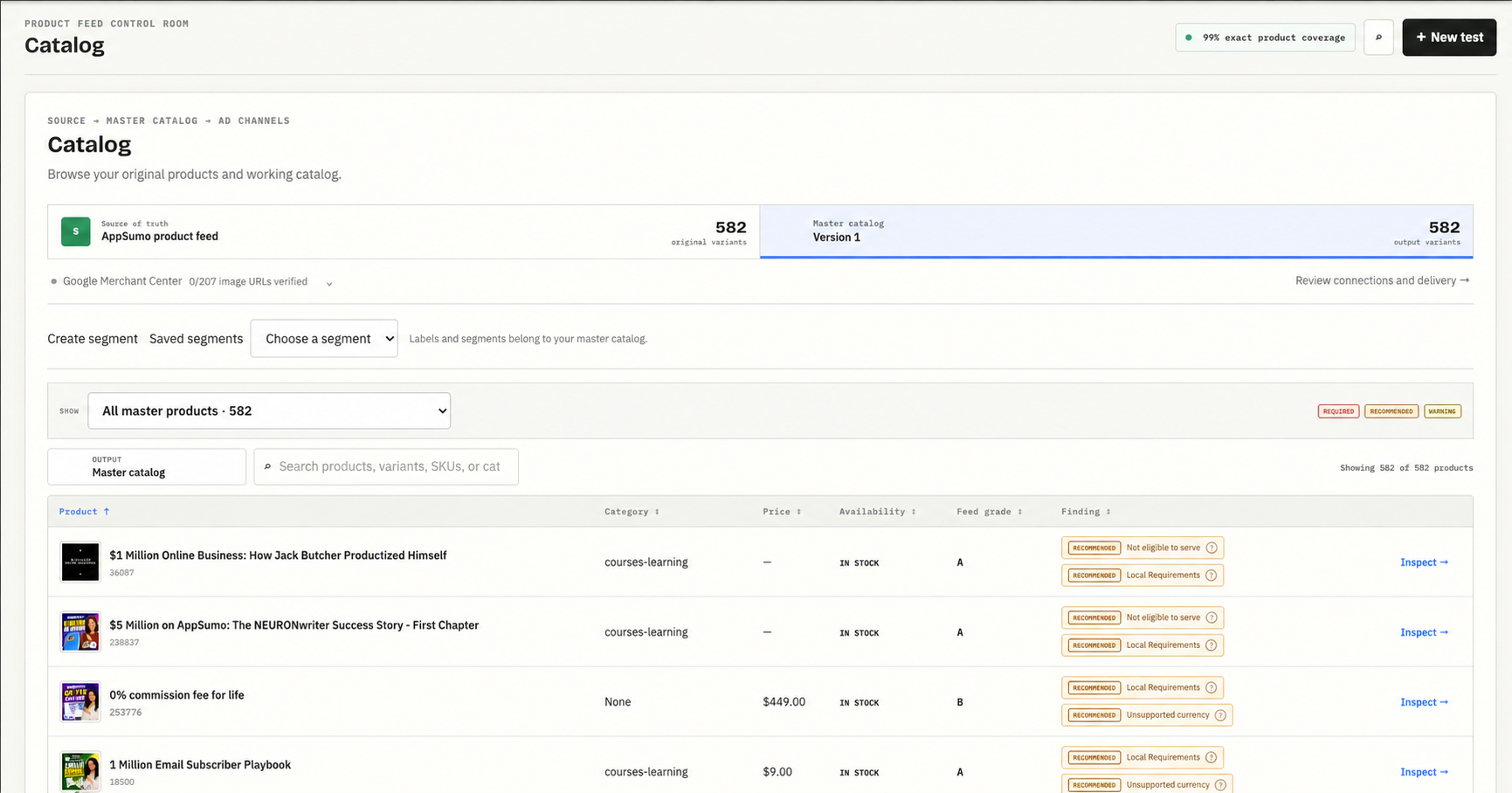
The catalog view. Product branding has been removed from this screenshot.
Here’s an example of the image work. The original AahSheet image is below, followed by a new version with a person, a bigger headline, and a different way to show the product. I can compare them against the same product record instead of bouncing between files.
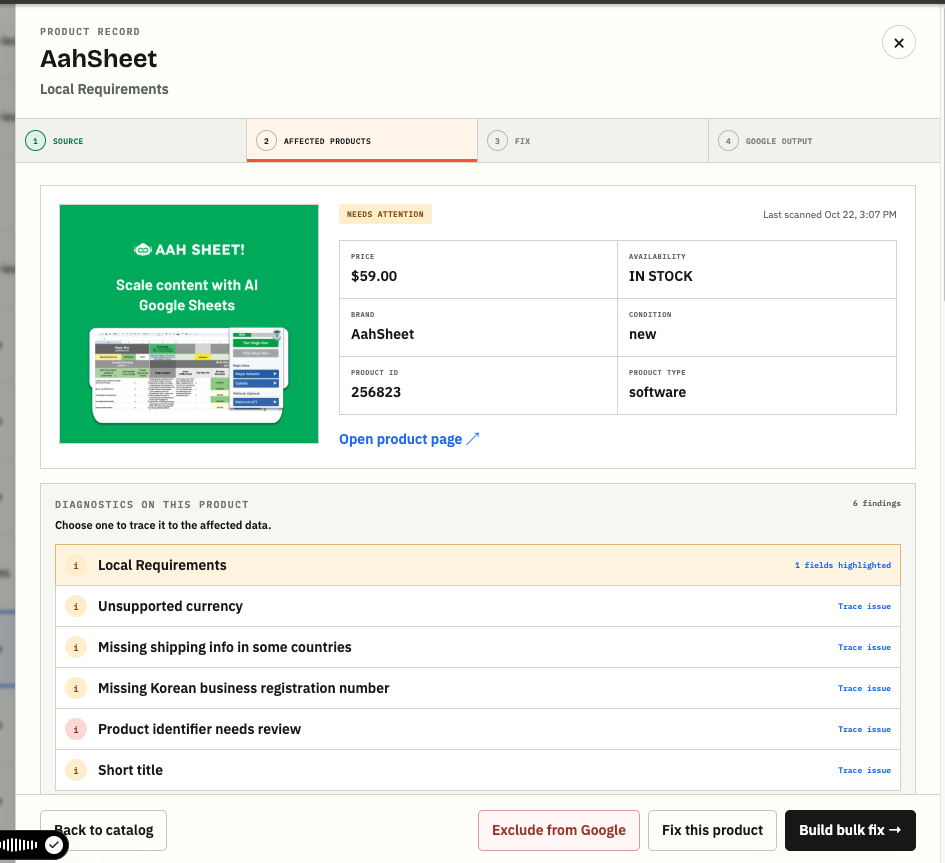
Before: the original product image.
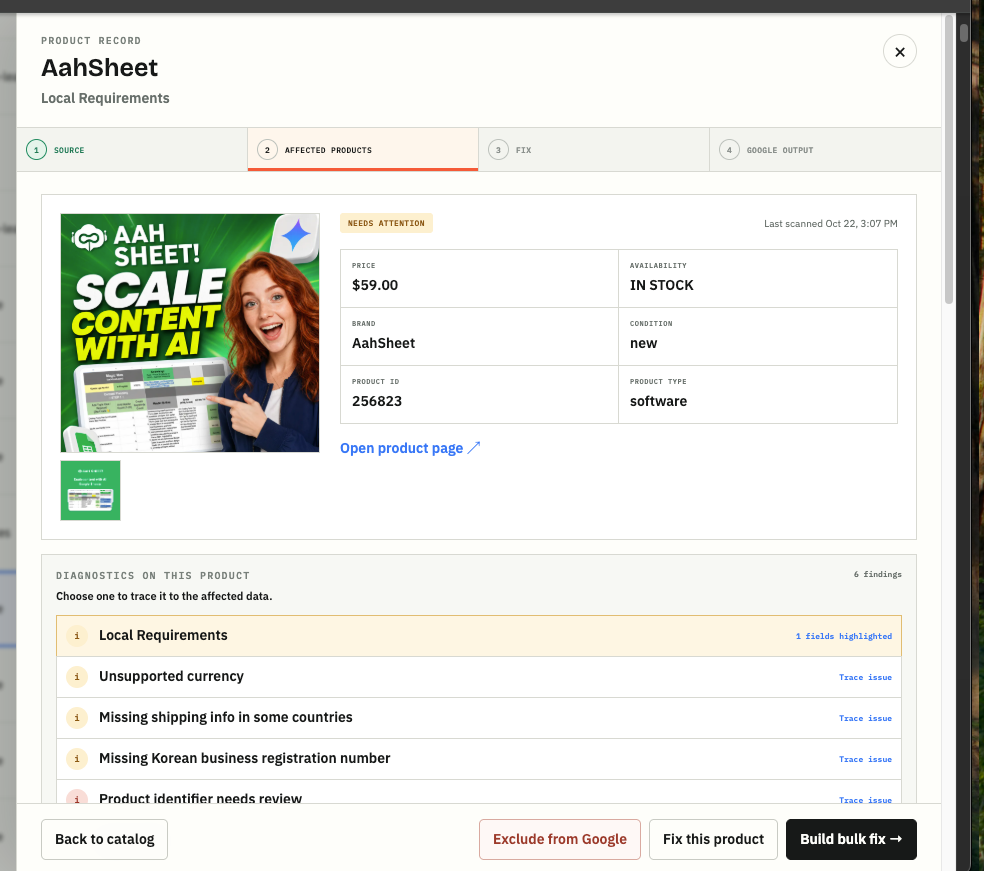
After: a new creative version. This is an image comparison, not a performance result. The feed diagnostics still need their own attention.
I know this work because I do it. That made it much easier to tell Codex what was missing, what was confusing, and which part needed another pass. I could try it against the thing I was supposed to be getting done that day.
AI search is the next thing I want to use it for
Having that middleman also gives me somewhere to improve the product information before Google receives it. That’s where I want to take this next.
Google put it pretty plainly: “Strong product descriptions are critical for brands to get discovered in the AI era.” That’s from its May announcement about shopping and AI.
Google now documents six optional conversational product attributes:
- Questions and answers: factual answers to questions someone would ask before buying.
- Document links: product manuals or other supporting PDFs.
- Related products: alternatives, accessories, or products that belong together.
- Item group titles: a shared name for a family of product variants.
- Variant options: the specific differences between those versions.
- Popularity rank: how popular a product is within your inventory, backed by your data.
These add context to the existing feed. Google recommends a supplemental data source, which lets you add the information against existing product IDs. Accurate prices, availability, and the rest of the basic product data still matter.
For our software catalog, I’m interested in questions like: Does this work with Google Sheets? What does this plan include? What do I need to set it up? The answers should come from the actual product documentation. I don’t want AI guessing what a tool can do.
We’ve built a one-product review form for these attributes and an export. Next is generating suggestions from verified product information, reviewing them, and checking that Google accepts the supplement. We haven’t proven a lift in AI search yet. But I like having a place to do this work alongside the feeds we already use every day.
The part after “it works”
Getting a working screen was exciting. Getting comfortable canceling Channable took more work.
We had to check where the feeds were going, whether imports were completing, and what would happen if we needed to recover. We kept an independent backup of the EUR feed with restore instructions. We also had to look at edge cases, including how free products were represented in the affiliate feed.
Those are pretty boring things to write about in a launch email. They’re also the things that made this feel like software I could use.
I don’t want an agent telling me everything is done because it generated a file. I want to know that the destination received it and that the product data makes sense when it gets there. A lot of the iteration has been making those states clearer so I can actually see what happened.
The roughly $150 subscription is a useful milestone. It still has running costs and takes my time to maintain. I’m more interested in having a tool I can keep improving around the way we work.
A useful way to think about an AI side hustle
I watched Starting An AI Side Hustle Is EASY (Copy This System), and the framework helped me put words to this project: demand, edge, access, and a learning loop.
I didn’t follow the video step by step to build this. But looking at the project through those four questions is a good way to separate what I’ve actually proven from what I still need to figure out.
Demand. We already had the problem and were paying for a tool to help with it. I had a real workflow to build against. Replacing that subscription tells me the tool is useful to us. I still need to learn whether other people want it enough to pay for it.
Edge. I’ve spent years working in marketing, dealing with product data and the platforms that use it. That experience gives me specific things to ask the AI to build and specific reasons to reject what it gives me. A feed tool that looks good in a demo can still be annoying as hell when you’re trying to get a campaign ready.
Access. I can show this to other marketers through this newsletter and have a conversation about their setup. That gives me a place to start. I want to hear what they’re using, what’s painful, and whether the thing I built would actually fit.
The loop. Using it keeps producing the next useful improvement. When an import is unclear, I need better delivery information. When a batch takes a while, I need to know whether it’s running or stuck. When a new product arrives, I need to understand what happens next. Those experiences give the next Codex session something concrete to work on.
That’s the part of building with AI I’m enjoying most. I can notice a problem while doing my job and work on the fix while the details are still fresh.
Start with a job you already understand
If you’re thinking about building something with AI, I’d look at what you do every week and what you already pay for. Where do you keep doing the same cleanup? Which tool gets you most of the way there, but leaves you finishing the job somewhere else?
Pick a small enough piece that you can use it yourself. You’ll find out pretty quickly whether it helps. Then show it to someone who does the same work and watch where they get confused.
That’s where I am with this. It has earned a place in our workflow at AppSumo. Now I want to see how it works for other people.
If you manage product feeds or catalog ads and want early access, email me. Tell me what you sell, which platforms you send your catalog to, and what you’re using today. If you’re reading this in the newsletter, just hit reply.